

SET UP YOUR HOME HUB
Wall mount instructions
01
1 of 7

Choose your spot
Tape the mounting paper to the wall to test the placement before drilling. Choose a comfortable height that makes the device easy for everyone, including kids, to see and use.
02
2 of 7
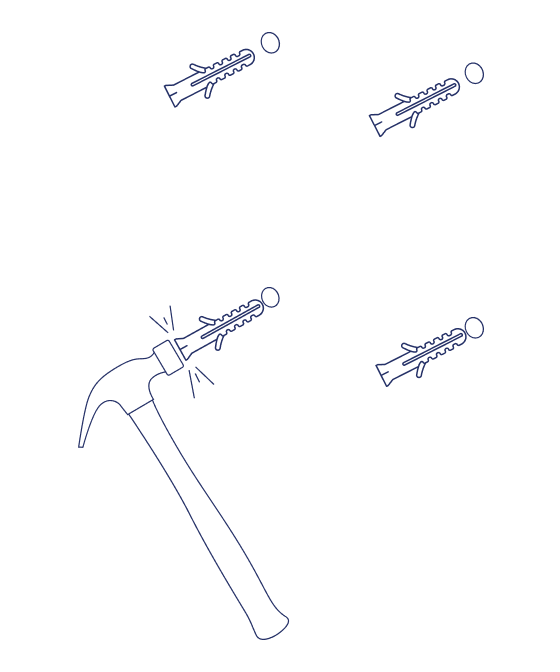
Anchors in
Insert the wall anchors into the holes, then gently tap them with a hammer until each flange sits flush with the wall.
03
3 of 7
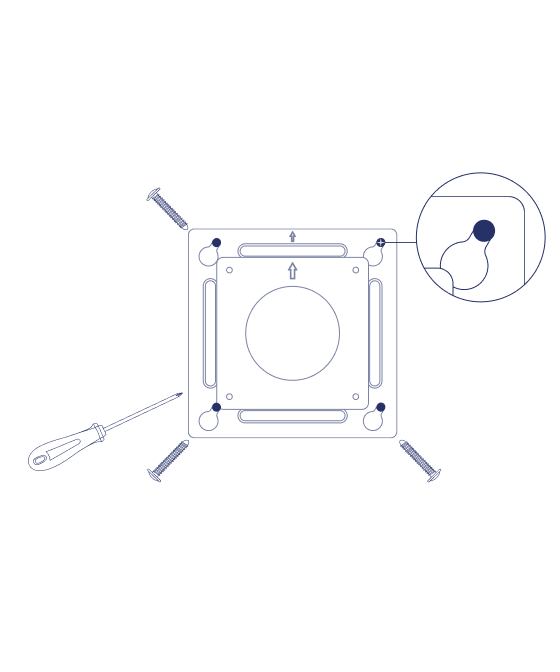
Bracket up
Align the wall mount bracket with the drilled holes. Insert and tighten the anchor screws through the narrow end of the mount.
Wall-anchor tip: Tighten each screw until flush, then exactly 5 more full turns. The anchor expands behind the wall, so count carefully.
04
4 of 7
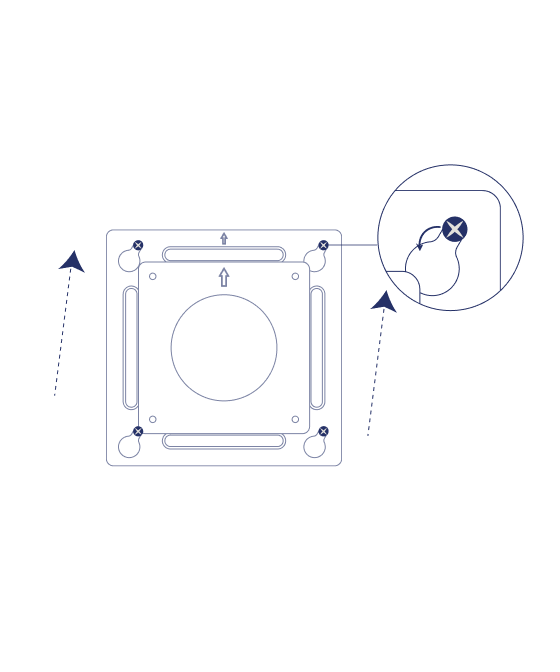
Slide it free
Loosen the anchor screws until you can slide the mount upward off the wall.
Find the sweet spot: Make it tight enough to hang securely but loose enough to slide free when you attach it to the device.
05
5 of 7
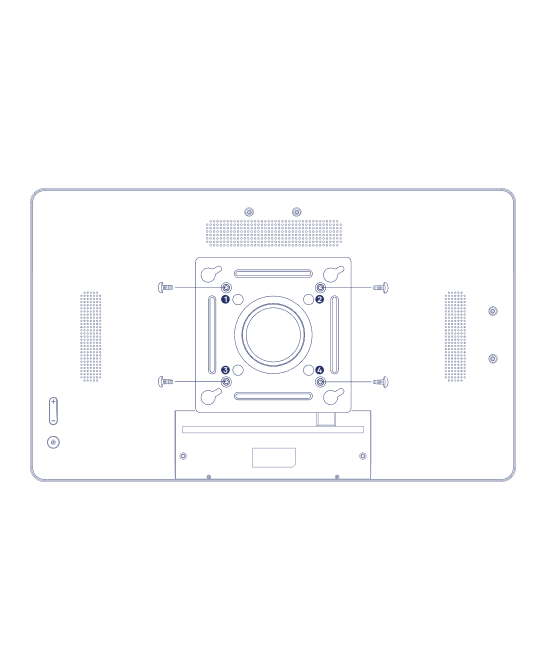
Attach the bracket
Align the front of the bracket with the holes on the back of the device. Insert and tighten the PWM4x6mm screws through the four numbered small holes.
Once secure, slide the device back onto the wall mount.
06
6 of 7

Plug it in
Plug in the power cord before you mount the Home Hub on the wall. The device should power on automatically.
Finishing touch: Secure the back panel with the two included PM3x6mm screws for a clean, polished look.
07
7 of 7
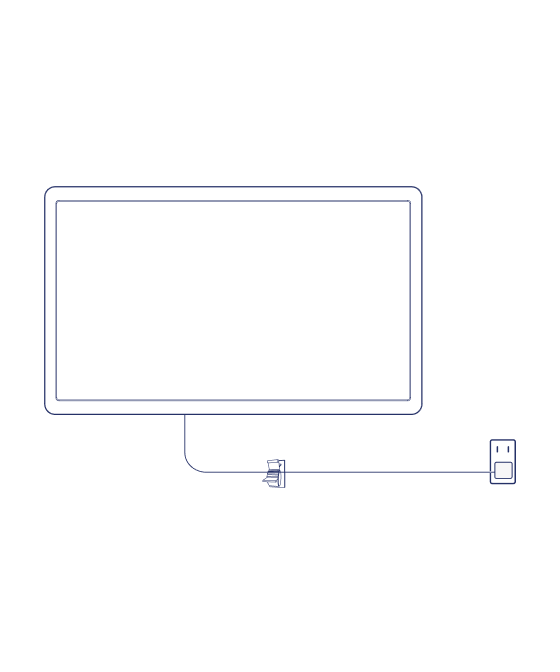
Hang it back
With the power cord connected, tilt the device slightly and slide the mount back on the anchor screws.
Your Home Hub is now securely installed.
Finishing touch: Use the included cable clips to keep the power cord neat and secure.